Why you should never use airport USB sockets to charge your phone


Sorry, but new warnings say you should never use airport USB sockets. (Image: Getty/ Dmitrii Guldin)
Public USB charging ports might appear handy, but the risk isn’t worth the reward.
If, like me, you’ve lauded the invention of public airport USB sockets instead of just powerpoints so you no longer have to pack bulky power converters and portable batteries – then I’m sorry to say our time of freedom and light-suitcased joy is up. Both the FBI and the Transportation Security Administration (TSA) issued warnings against plugging personal devices directly into public USB charging ports. Why? Once again, the answer is cybercriminals.
According to the alert, these criminals are able to use public USB charging ports (commonly found in train stations, hotel lobbies, shopping centres and airports) to access your device while it charges. Once they’ve connected, it’s possible to steal personal data, install malicious software and even gain remote control of your device. Yikes. The warning came with a special emphasis on those USB charging ports found in airports.
In a Facebook post, TSA said that “cybersecurity has never been more important”.
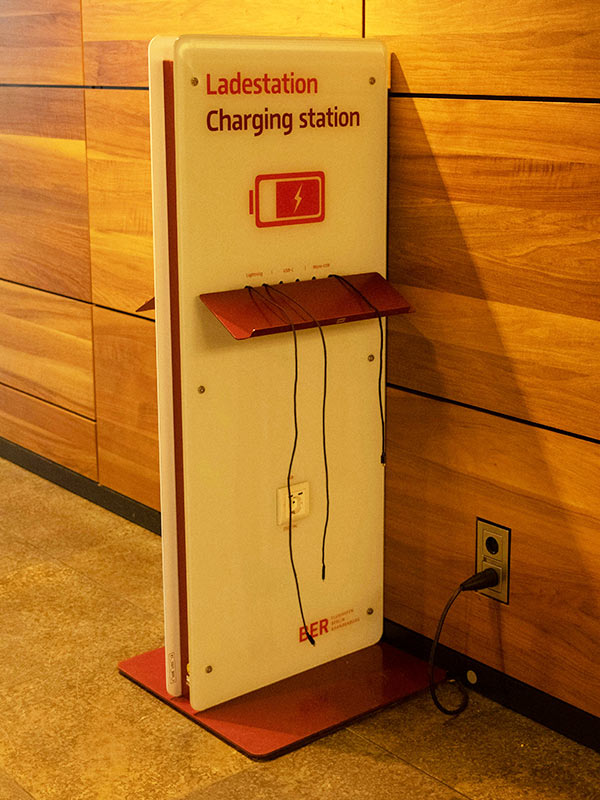
Don’t use public USB charging ports anywhere in the world. (Image: Nico Knaack)
“Hackers can install malware at USB ports (we’ve been told that’s called ‘juice/port jacking’). So, when you’re at an airport, do not plug your phone directly into a USB port. Bring your TSA-compliant power brick or battery pack and plug in there.”
Of course, we don’t have TSA in Australia, but that just means power banks that are safe to take on the plane.
The post also warned not to “use free public wi-fi, especially if you’re planning to make any online purchases. Do not ever enter any sensitive info while using unsecure wi-fi”, which is also bad news for anyone (me) who doesn’t get a new SIM card until they reach their destination country. But it’s no secret that public networks are notoriously insecure. If you must use public wi-fi, always connect through a VPN.
Other tips to stay cyber safe while travelling

Be careful where you plug in your phone. (Image: Getty/ Dmitrii Guldin)
I may have grown up in a digital age, but I also tend to have a “she’ll be right attitude” towards things going wrong. Something that has served me well in many circumstances, but one that I’m learning should not be applied to real-world and cyber safety. If you’re also in need of a travel safety tune-up, here are a few more tips for us all:
- Enable multi-factor authentication (MFA). Turns out, yes, it is worth the effort. Enable MFA on all critical accounts – especially email, banking and work applications – to add an extra layer of security by requiring a second step to verify your identity.
- Keep software and apps up to date. It’s not just about new emojis; software updates often include essential fixes and updates to device security.
- Be mindful of what you share online. Travel details – like hotel names, flight times, or real-time location – shouldn’t be shared online. Cybercriminals can use this information to target you while you’re off on holiday.













LEAVE YOUR COMMENT